
For HR and People
Who is in, who is logging, who is overloaded — without a form.
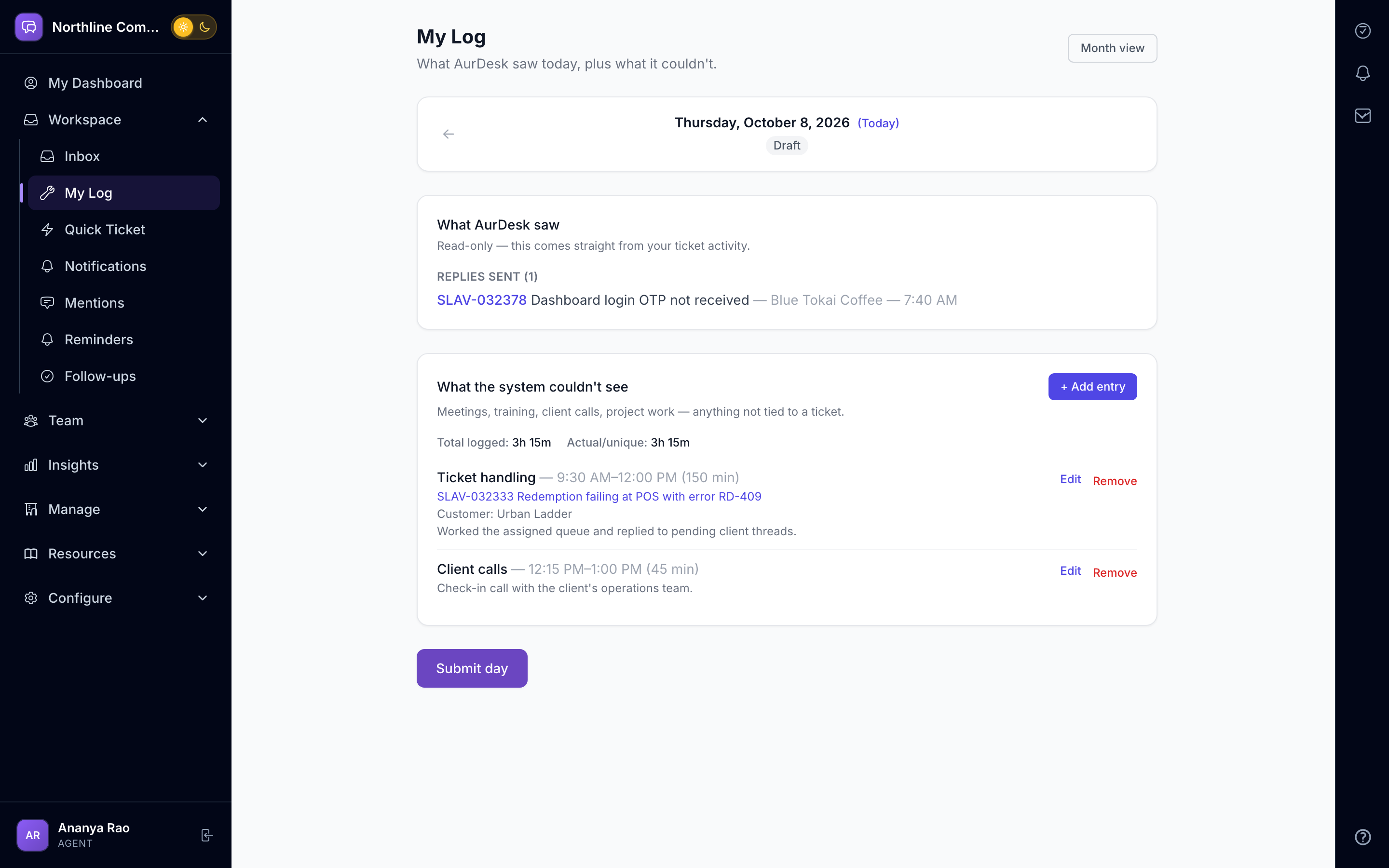
Daily work logs submit themselves, team logs roll up, and an optional webhook tells your HR system who submitted each day. Attendance and directory feeds can flow the other way.
Sound familiar?
Timesheets are filled in on Friday from memory.
Nobody knows who is overloaded until someone resigns.
New joiners learn the tools from whoever is free.
With AurDesk
Daily logs submitted where the work happens
Workload visible per person
Guided training tracks for every role
Swipe sideways to explore
A hr and people day
Four moments, one workspace.
-
9:00
Team opens the day
Attendance and directory data can flow in from your HRMS.
-
13:00
Logs fill as work happens
Time goes against a customer or category, where the work is.
-
18:00
Submit reminder
Anyone who has not submitted gets a nudge; managers see the team log.
-
18:30
HR signal
An optional webhook tells your HR system who submitted today.
What this team uses most
The parts of AurDesk that carry a hr and people day.
My Day
Start every day knowing exactly what is yours.
Everything due today, in one listA tasks dock on every screenA work log that writes itself
Control and Reports
See risk before it becomes a complaint.
Service promises that respect business hoursAn assignment engine, not a rotaEscalation with ownership
Approvals and Requests
Approvals that move through people, not through forwarded emails.
Chains anyone can buildApprove without logging inReminders that are predictable
AI Assistant
Helpful on every request. Never making things up.
Drafts, not decisionsRouting and knowledgePatterns and accuracy
See a hr and people day in AurDesk.
Book a 20-minute demo and we will set up a sample workspace that looks like your team.