
Context before every reply
Every contact, commitment and payment, on one customer page.
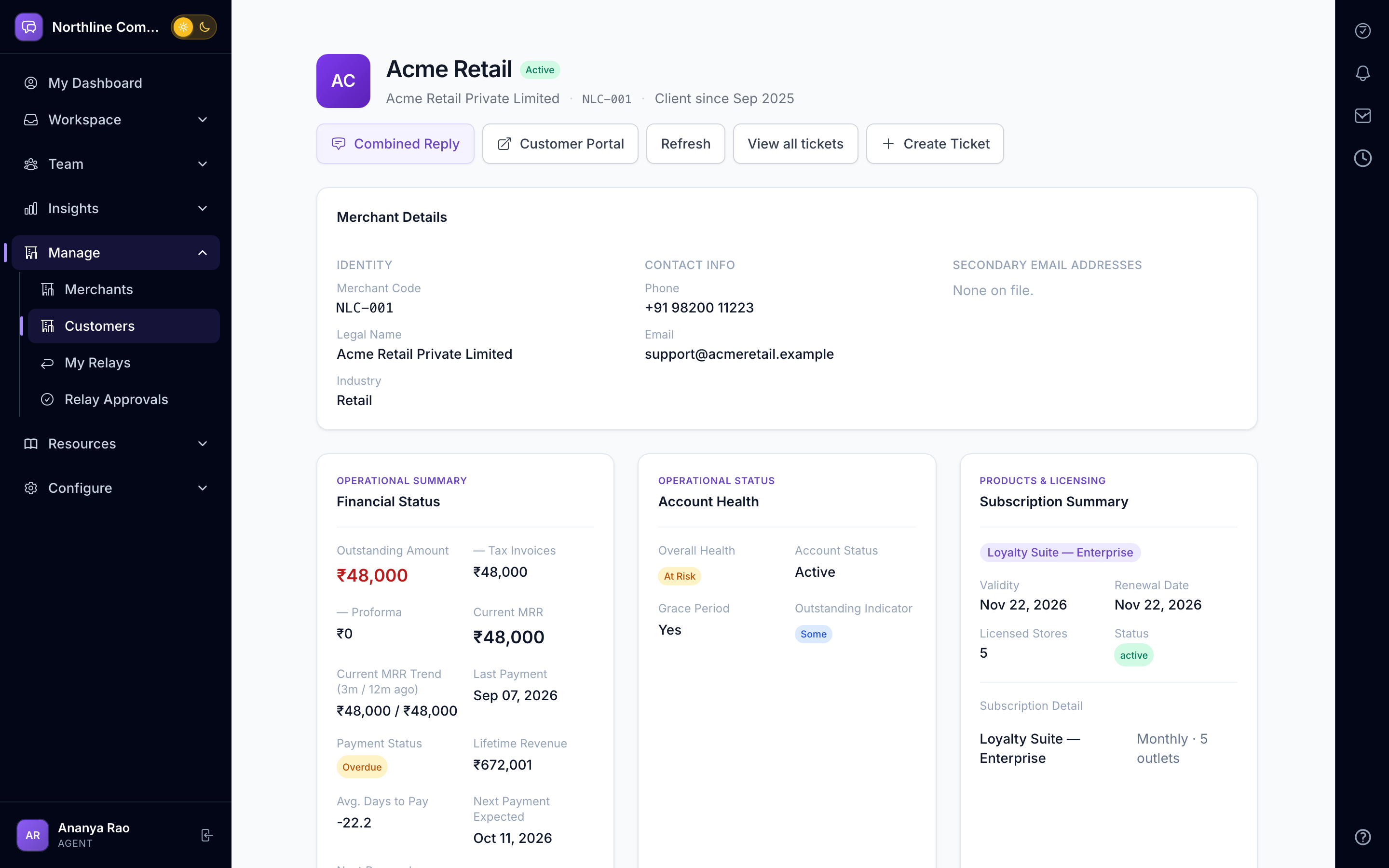
Contacts, known facts, commitments, timeline, invoices and payments from your billing system — plus live, read-only lookups into your own databases through connectors. Your team sees the whole relationship before replying.
Swipe sideways to explore
Facts and commitments, not folklore
Record what you know about a customer and what you have promised them. Facts feed the AI brief; commitments show up as promises on My Day.
- Known facts and commitments
- Primary and named contacts
- Timeline of every interaction
- Document library
Billing in the same view
Sync invoices, payments and outlets from your billing or revenue system. Overdue balances are marked on every request so nobody promises a feature to an account that is 60 days late.
- Billing and revenue sync
- Client payments report
- Overdue marker on requests
- Odoo import
A monthly story for every client
Every client page opens with their month in plain words: what they raised as issues, requirements and requests for action, what was fixed, declined or left waiting, what keeps coming back, and what it cost your team. Every number links to the tickets behind it, so a complaint meets the facts. On the 1st of each month, owners and department heads get one email of the clients to act on, with why it matters and one thing to do for each.
- "If they call today" summary on every client
- Issues, requirements and actions counted separately
- Switched on per client with an Onboarded flag, with a one-click classification on each ticket
- Recurring problems and unanswered requests flagged
- Monthly email for owners and department heads, internal only
Health and renewals
A health score, customer effort tracking and a renewal pipeline report tell account managers where to spend their week.
- Account health report
- Customer effort tracking
- Renewal pipeline
Look into your own systems, safely
Client Data Connect gives read-only lookups into your databases or APIs (MySQL and HTTP drivers) with schema discovery, query templates, an egress guard, a go-live checklist and a full audit of every query.
- Read-only MySQL and HTTP connectors
- Egress guard and query validation
- Per-query audit and snapshots
- DPA template included
Teams that lean on Customer 360
Questions, answered
Questions about Customer 360
There is a generic financial-data mapper, an Odoo import, and a revenue-platform connector. Ask us about yours; most systems with an export or API can be mapped.
No. Connectors are read-only by design, with an egress guard that blocks anything that is not a permitted lookup.
Any staff user in your organisation with the right permission. Confidential requests can be restricted to a named viewer list.
Also inside AurDesk
See Customer 360 on your own data.
Book a 20-minute demo. We set up a sample workspace with your channels and walk through your day in it.