
One screen per person
Start every day knowing exactly what is yours.
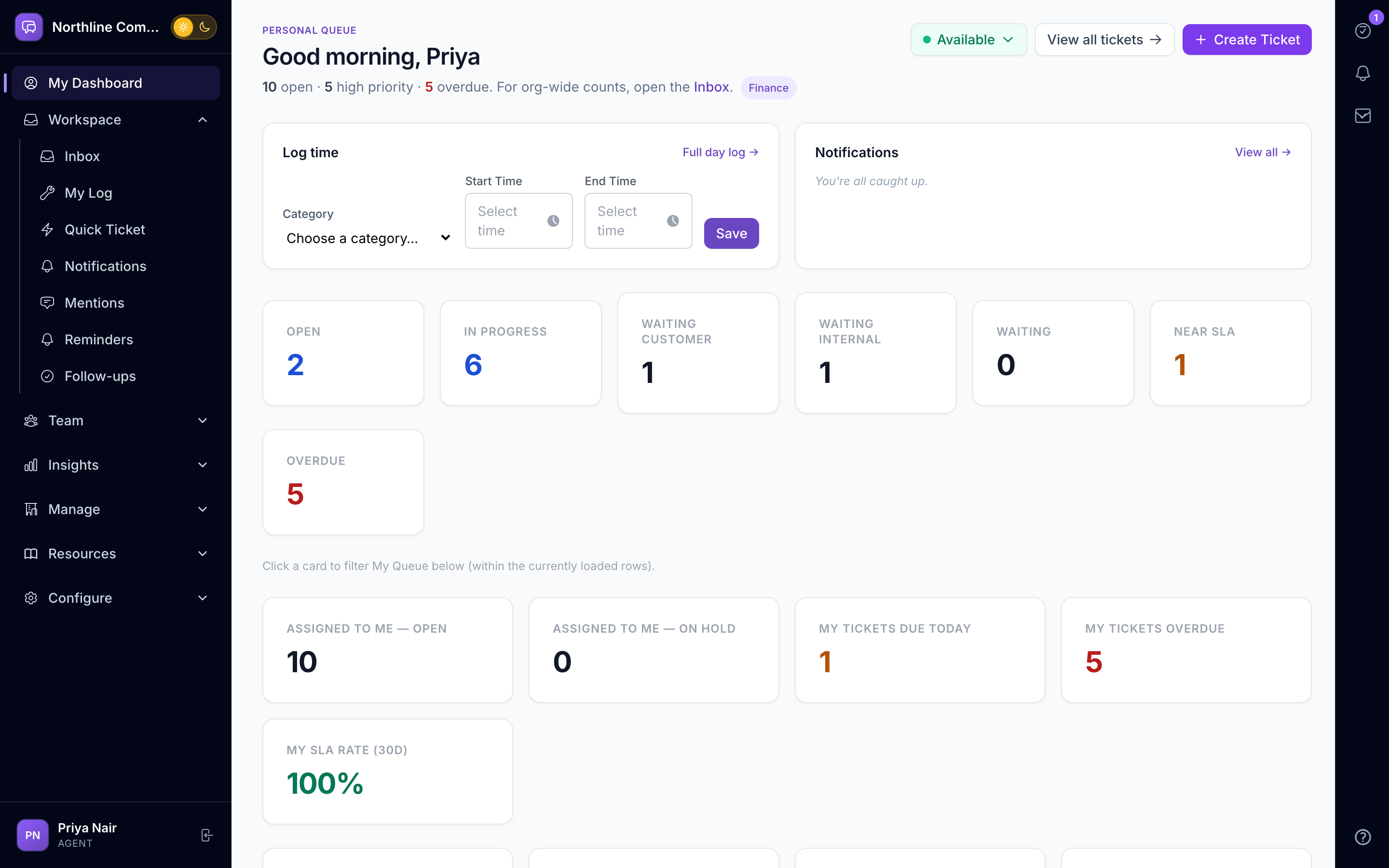
Each person on your team opens one screen: what is due, what was promised, who mentioned them, what needs their approval and which conversations they own. The work log fills in as they go and submits at the end of the day.
Swipe sideways to explore
Everything due today, in one list
Requests assigned to you, promises you made to customers, reminders and tasks from colleagues — sorted by what is due first, not by which channel it arrived on.
- Personal queue with due-today and overdue counts
- Promises and follow-up queue
- Reminders and scheduled requests
- Mentions from colleagues
A tasks dock on every screen
A right-edge dock holds your tasks wherever you are in the product. Tick one off from a conversation without leaving it; tasks mirror into the request's next action.
- Right-edge tasks dock
- Tasks linked to requests
- Quick capture for new work
A work log that writes itself
Log time against a customer or an internal project while you work. A daily reminder nudges anyone who has not submitted; managers get a team log and a weekly email on where the time went, and HR can receive a simple submitted/not-submitted signal per person per day.
- My Log with daily submit
- Team Log and a weekly where-did-the-time-go email
- Department heads approve each team's categories and projects
- Optional HR webhook (1/0 per day)
- Organisation-local "today" (timezone-aware)
Notifications where you are
In-app, browser push and a mobile notification app with device registration — so an urgent approval reaches you without a WhatsApp group.
- In-app notification centre
- Web push
- Mobile notification app (token login)
- Per-person notification preferences
Teams that lean on My Day
Questions, answered
Questions about My Day
Yes. Each person connects their own Google Workspace or Zoho Mail mailbox and calendar from the Mail page and reads, replies and organises mail without leaving the product. Only that person can see the mailbox; an email reaches a ticket or a discussion only when they choose to share it, and every share is recorded.
Yes. Any staff user gets My Day. Finance, operations and account managers use it for approvals, promises and customer conversations just like support agents.
For many teams, yes. Entries are logged against customers or internal projects, submitted daily, and reported per team and per client. An optional webhook tells your HR system who submitted each day.
There is a mobile notification app that signs in with a secure token and receives pushes for assignments, approvals and mentions. Full work happens in the web app.
Also inside AurDesk
See My Day on your own data.
Book a 20-minute demo. We set up a sample workspace with your channels and walk through your day in it.