
Relay approval chains
Approvals that move through people, not through forwarded emails.
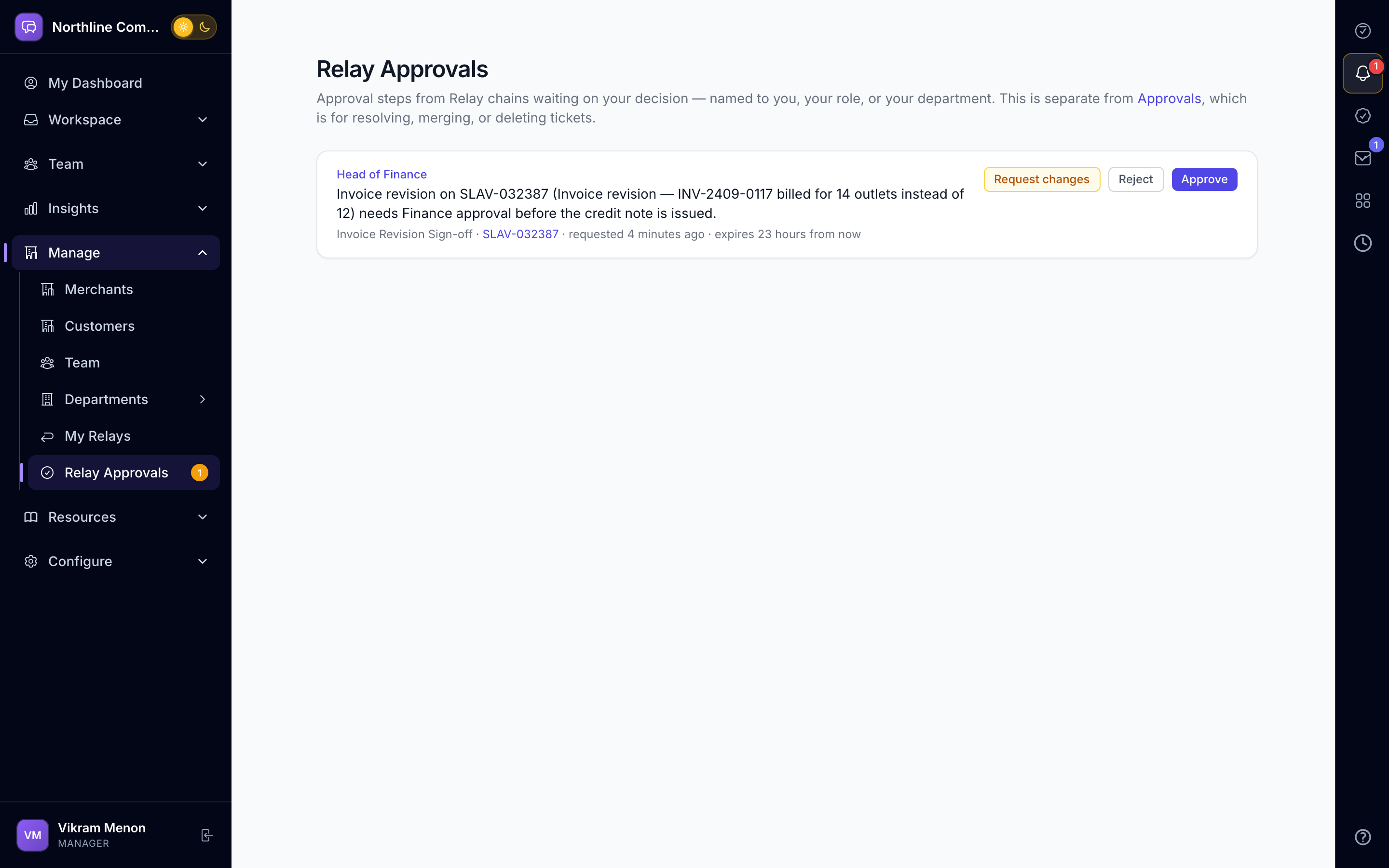
Relay lets anyone build an approval chain: a named person, a department head, any member of a department, or a role. Approvers act from a one-tap email link or inside the app. Every step is timestamped and visible.
Swipe sideways to explore
Chains anyone can build
Start from a template or build your own. Each step targets a person, a department (its head or any member) or a role, so a chain keeps working when people change.
- Relay templates and gallery
- Person, department or role per step
- Human approval gate on workflows
Approve without logging in
Approvers get a secure email link that records their decision in one tap, with an OTP where needed. In-app approvers see their queue on My Day.
- Signed email approval links
- In-app approvals queue
- Request changes, not just approve or reject
Reminders that are predictable
Reminder policies chase the right person at the right time. A Policy Simulator shows exactly who would be nudged and when, before you switch it on.
- Reminder policies
- Policy Simulator
- Escalation to the department head
A trail you can show an auditor
Who requested, who approved, when, and what changed — on the request, on the customer timeline and in the organisation audit log.
- Workflow and approval audit logs
- Customer timeline entries
- Unified audit log with filters
Teams that lean on Approvals and Requests
Questions, answered
Questions about Approvals and Requests
No. Relay is used for internal requests too — refunds, discounts, vendor onboarding, access requests — anything that needs a sign-off.
Yes. The email approval link works without a login; the decision is recorded against their email address.
Reminder and escalation policies move the step along — to the department head or a fallback — on the schedule you set.
Also inside AurDesk
See Approvals and Requests on your own data.
Book a 20-minute demo. We set up a sample workspace with your channels and walk through your day in it.