
See a day in AurDesk in action
Six stops, two minutes: from the screen a person opens in the morning to the dashboard a founder reads at night. Real screens, no signup, no sales call.
One screen per person
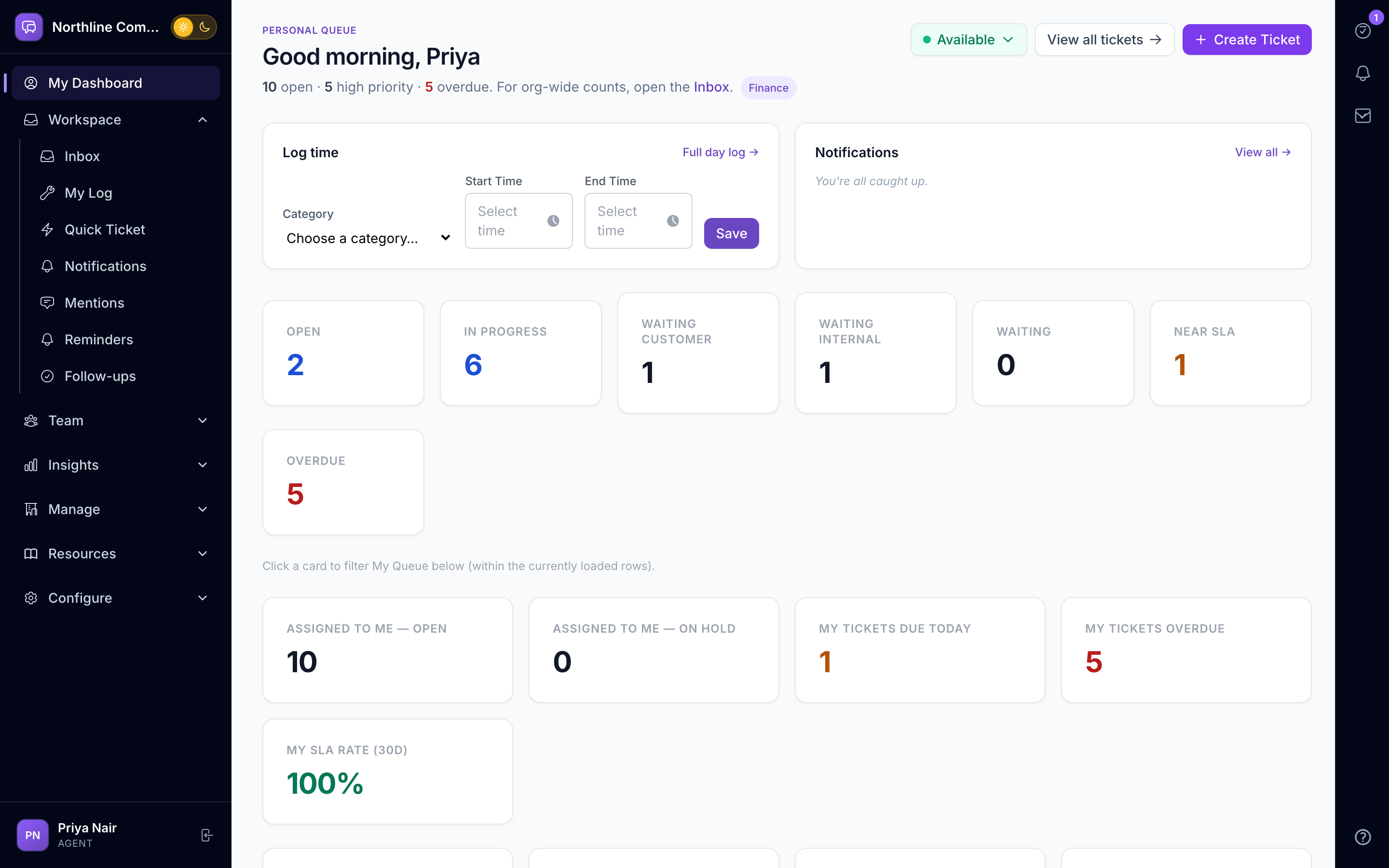
My Day — Start every day knowing exactly what is yours.
Each person on your team opens one screen: what is due, what was promised, who mentioned them, what needs their approval and which conversations they own. The work log fills in as they go and submits at the end of the day.
Swipe sideways to explore
Everything due today, in one list
Requests assigned to you, promises you made to customers, reminders and tasks from colleagues — sorted by what...
A tasks dock on every screen
A right-edge dock holds your tasks wherever you are in the product. Tick one off from a conversation without l...
A work log that writes itself
Log time against a customer or an internal project while you work. A daily reminder nudges anyone who has not...
Email, WhatsApp, chat and portal
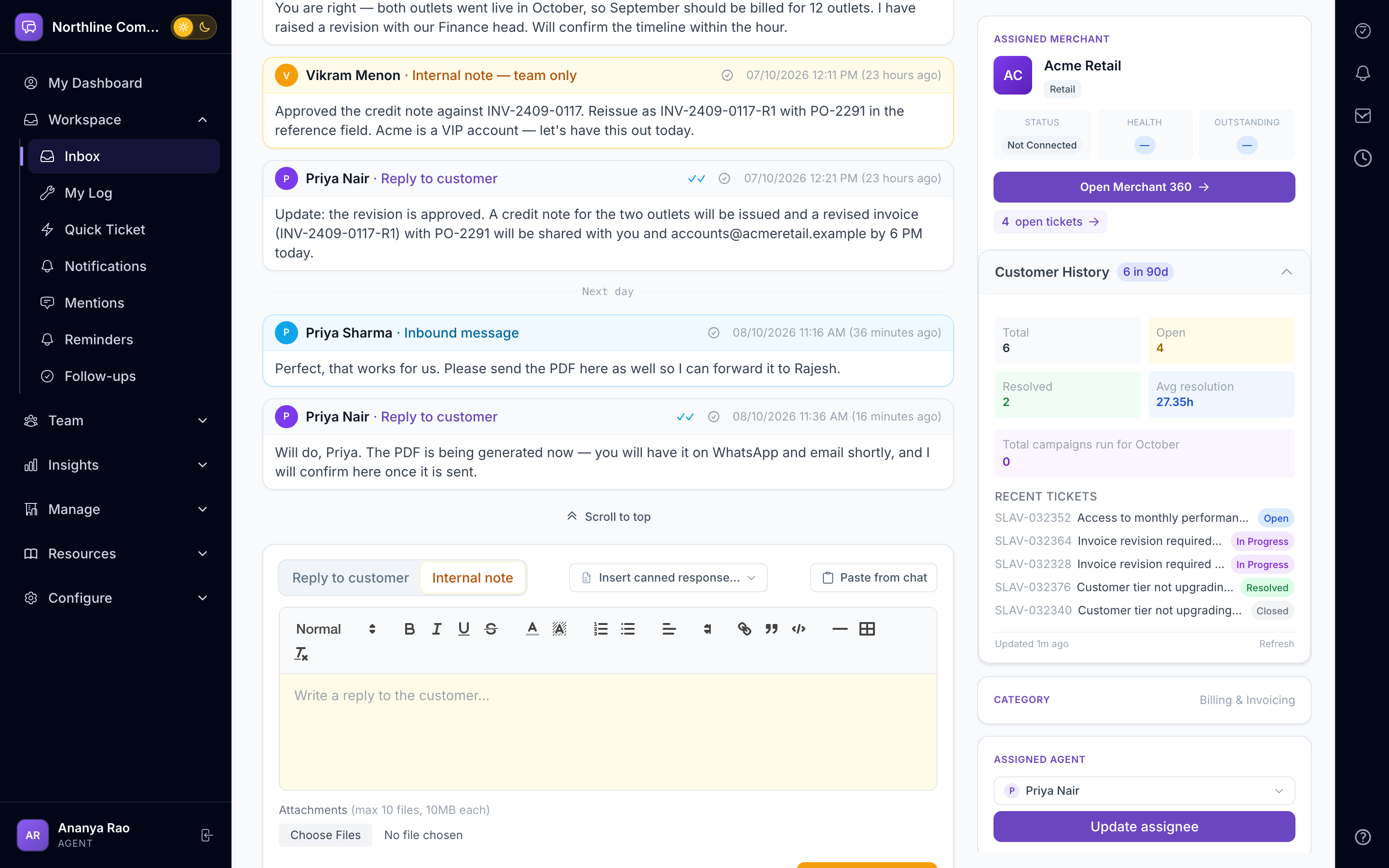
Conversations — Every customer message in one thread, whatever channel it came from.
Email, WhatsApp, SMS, website chat and the client portal land in one thread per customer. Your team replies once; AurDesk sends it on the right channel and keeps the trail.
Swipe sideways to explore
WhatsApp done properly
Connect Meta WhatsApp Cloud or Gupshup. AurDesk respects the 24-hour customer window, uses approved templates...
Live chat mode for WhatsApp
When a customer is typing now, switch to chat mode: an agent claims the chat, replies in real time, and the te...
Email that behaves
Inbound mail on your own address with quoted-reply parsing, bounce detection and inline images kept as attachm...
Relay approval chains
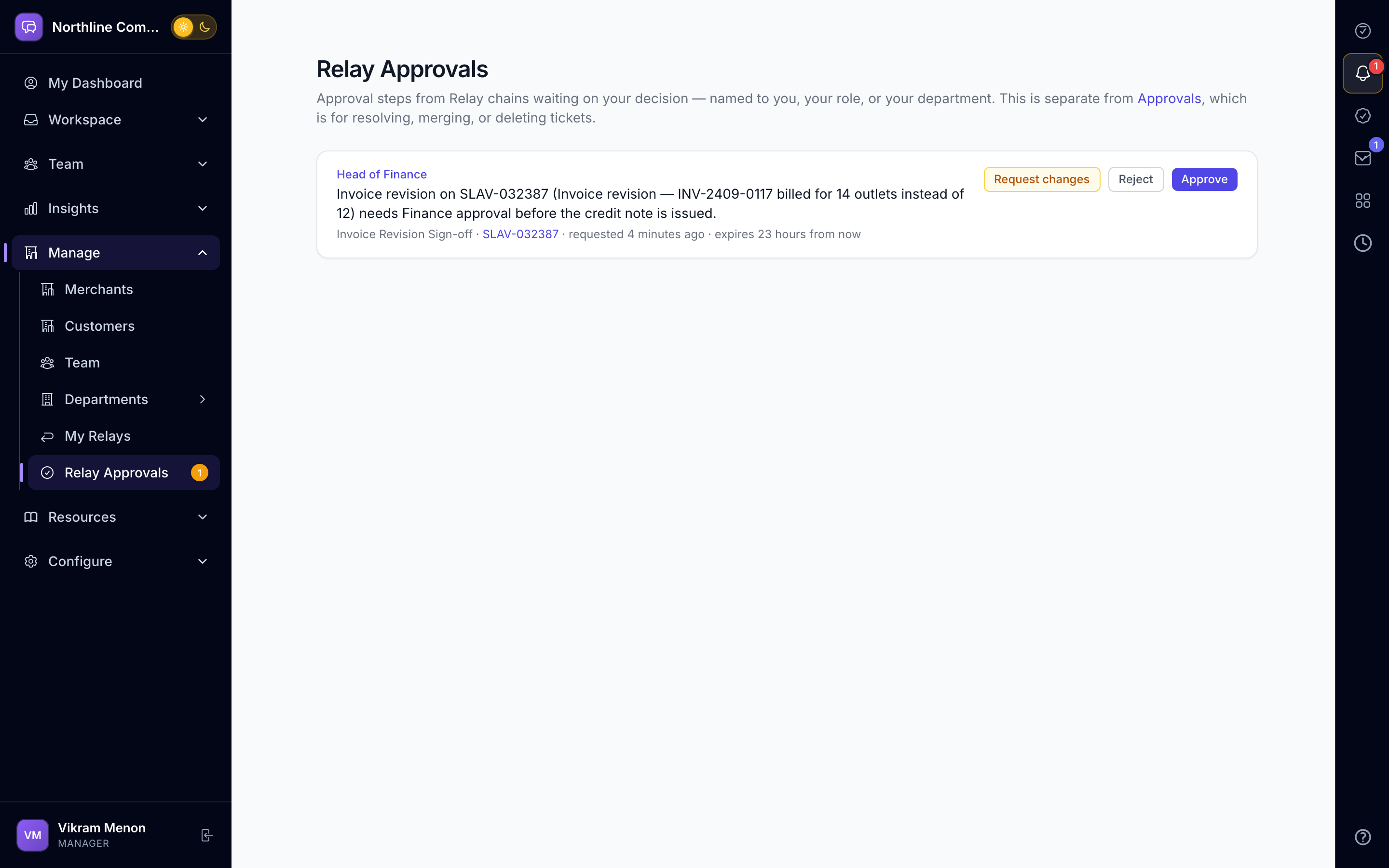
Approvals and Requests — Approvals that move through people, not through forwarded emails.
Relay lets anyone build an approval chain: a named person, a department head, any member of a department, or a role. Approvers act from a one-tap email link or inside the app. Every step is timestamped and visible.
Swipe sideways to explore
Chains anyone can build
Start from a template or build your own. Each step targets a person, a department (its head or any member) or...
Approve without logging in
Approvers get a secure email link that records their decision in one tap, with an OTP where needed. In-app app...
Reminders that are predictable
Reminder policies chase the right person at the right time. A Policy Simulator shows exactly who would be nudg...
Context before every reply
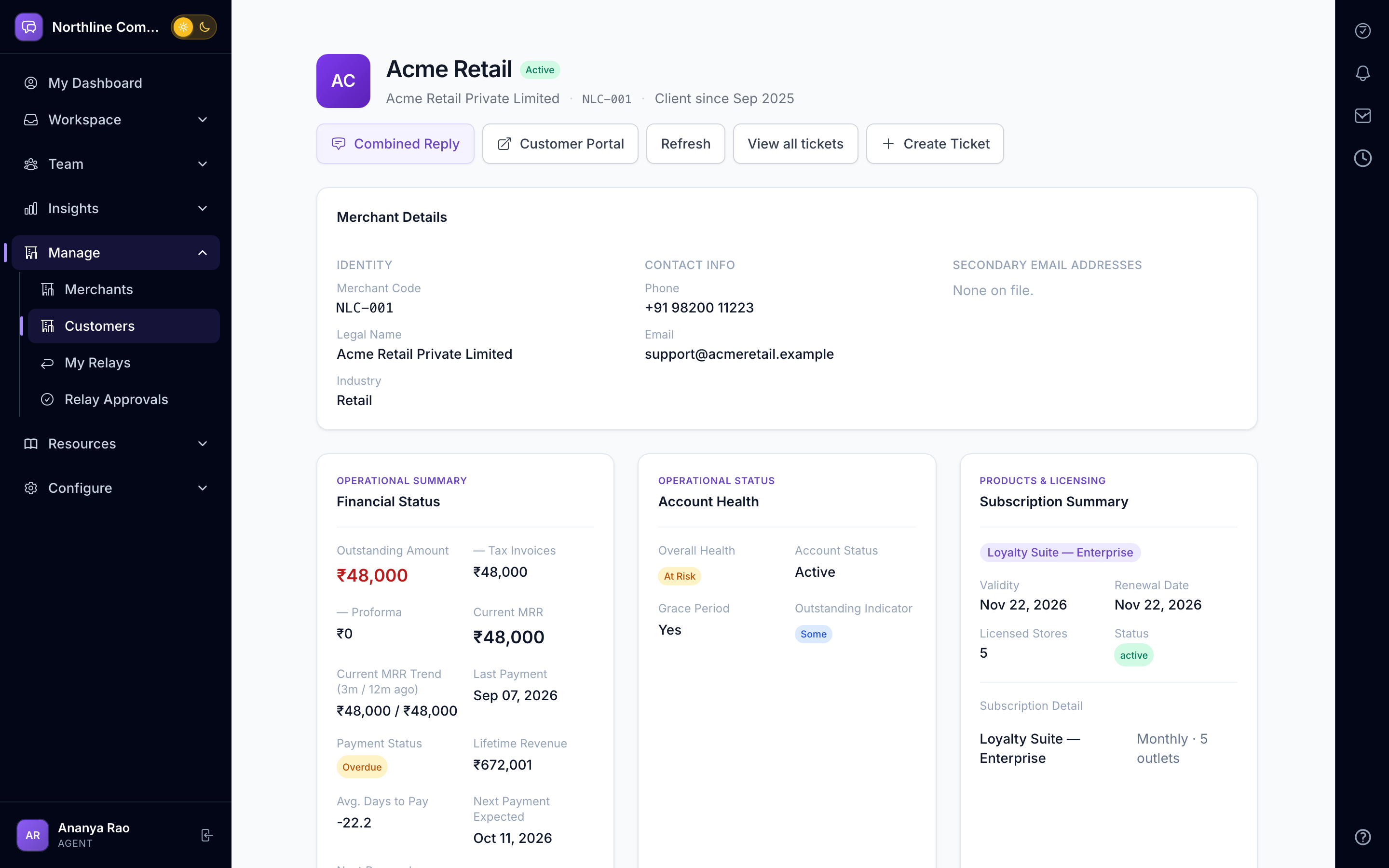
Customer 360 — Every contact, commitment and payment, on one customer page.
Contacts, known facts, commitments, timeline, invoices and payments from your billing system — plus live, read-only lookups into your own databases through connectors. Your team sees the whole relationship before replying.
Swipe sideways to explore
Facts and commitments, not folklore
Record what you know about a customer and what you have promised them. Facts feed the AI brief; commitments sh...
Billing in the same view
Sync invoices, payments and outlets from your billing or revenue system. Overdue balances are marked on every...
A monthly story for every client
Every client page opens with their month in plain words: what they raised as issues, requirements and requests...
Grounded, advisory, your keys
AI Assistant — Helpful on every request. Never making things up.
The assistant classifies and routes new requests, drafts and rephrases replies, writes a customer brief from verified facts before a call, suggests knowledge-base articles and spots patterns across customers. People decide; the AI drafts.
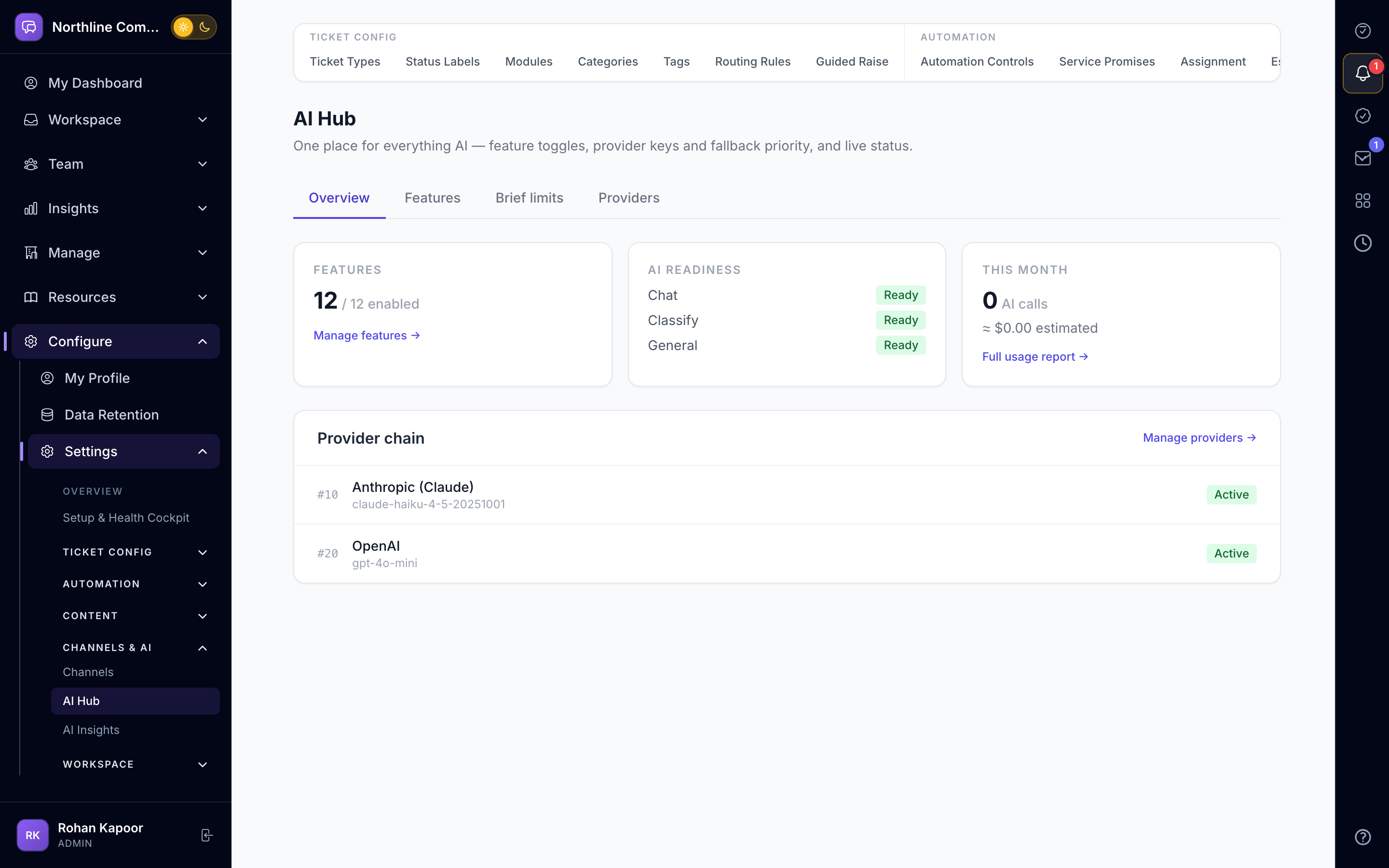
Swipe sideways to explore
Drafts, not decisions
Reply drafts cite the thread. Rephrase polishes tone in one click. The customer brief uses only verified facts...
Routing and knowledge
New requests are classified and routed by your rules. Resolved threads become knowledge-base drafts; relevant...
Patterns and accuracy
Pattern detection surfaces repeated issues across customers with accept, snooze or dismiss. An accuracy analys...
For managers and leaders
Control and Reports — See risk before it becomes a complaint.
Service promises with business hours, assignment rules, escalation policies, a manager cockpit, department dashboards, an executive view and digests — so leaders read a brief instead of chasing updates.
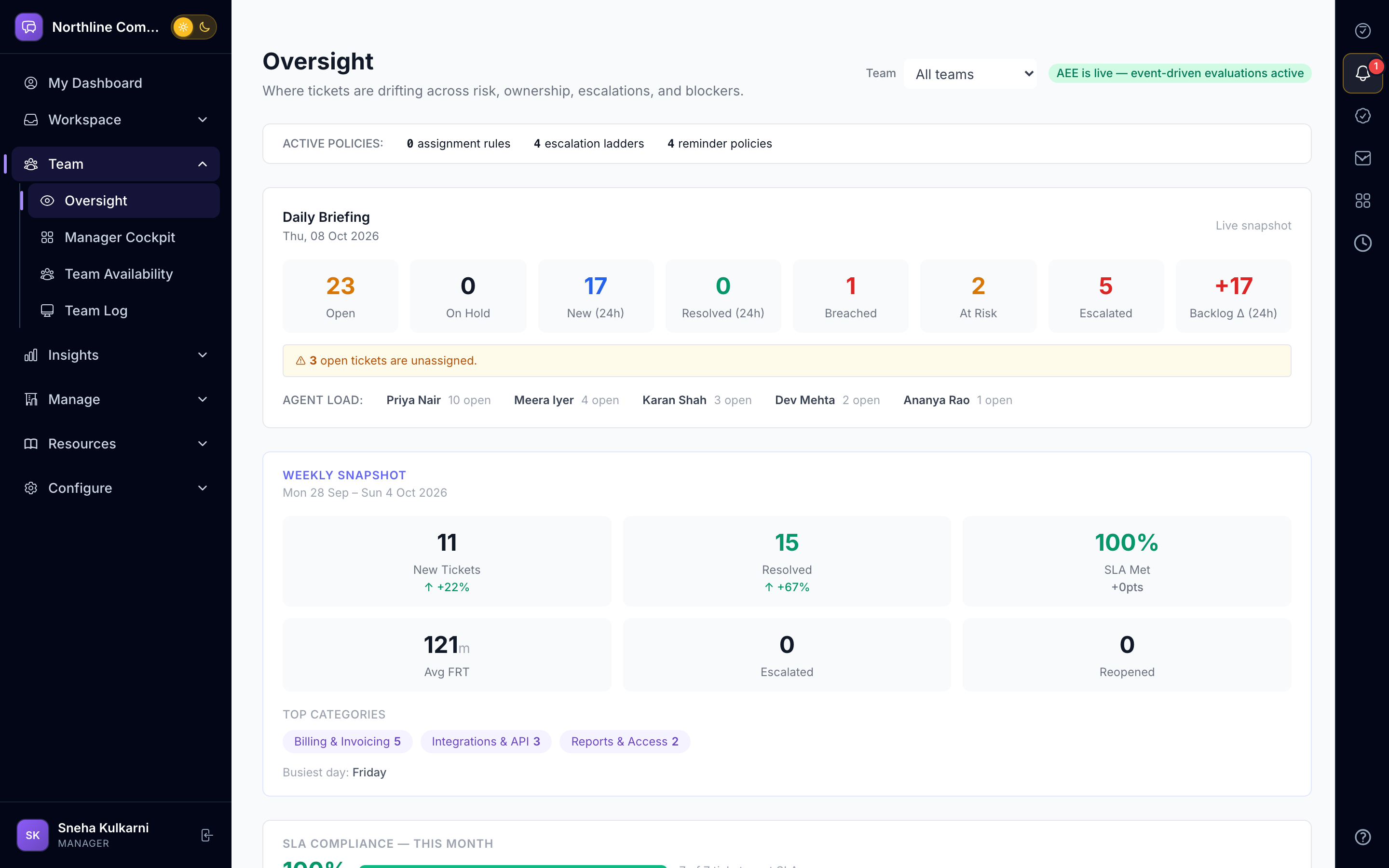
Swipe sideways to explore
Service promises that respect business hours
Define what you promise per priority or customer tier. Clocks pause outside business hours and on hold; warnin...
An assignment engine, not a rota
Rules evaluate conditions and assign by round-robin, weighted workload or skills, with off-hours and no-agent...
Escalation with ownership
Escalation policies re-chase the owner, then the department head. Unacknowledged escalations and "please revie...
Want to see your own day in it?
We'll set up a sample workspace for your team, with your channels, so you see your own day in it.
Already a customer? Log in to your account →